PFD software
Process Flow Diagram Software — draw a PFD that stays connected to the numbers
IAutoDrawSim is a process flow diagram tool for engineers: a built-in PFD/P&ID symbol library, smart connectors, stream labels, and an export path to PDF, SVG and Excel.
- PFD and P&ID symbol library — vessels, exchangers, pumps, valves, instruments
- Connectors snap, reroute and stay attached when you move equipment
- Stream labels, line numbers and tags carry through to the exported tables
Windows and Linux installers. Data stays on your machine.
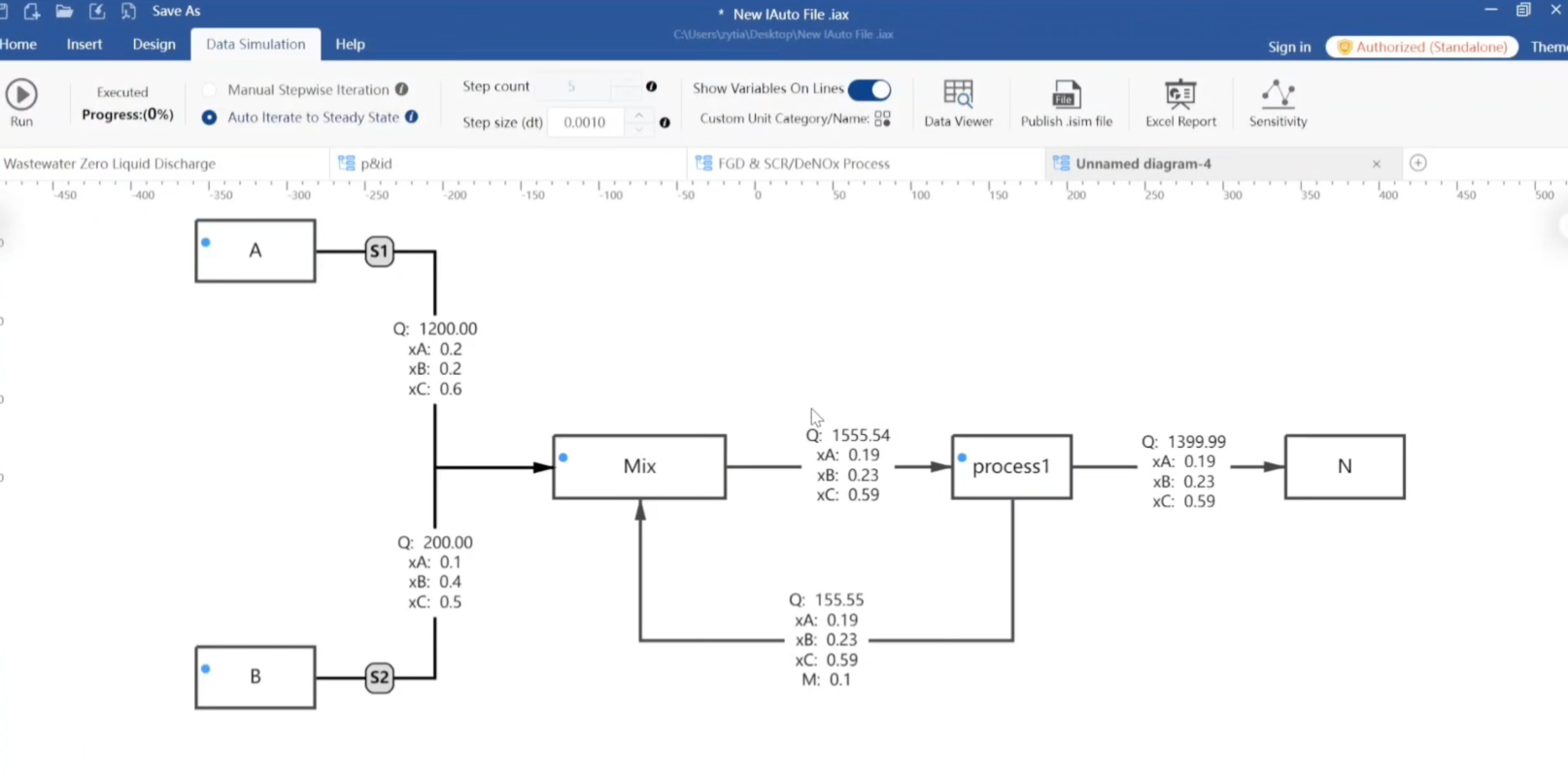
Draw the flowsheet the way engineers think
Drop a reactor, connect a feed, add a recycle — the drawing stays a vector model, not a flattened image. Moving a vessel reroutes its streams automatically, so late changes do not turn into an afternoon of realignment.
Because the canvas keeps engineering meaning, every stream can carry a name, a number and a composition instead of being just a line.
The PFD and the mass balance are the same object
Most diagram tools stop at the picture. Here each unit can hold parameters, and each stream carries material — so the PFD you draw is also the model you calculate.
Change a conversion or a recycle ratio and the downstream numbers update, with no copy-paste round trip through a spreadsheet.
- Custom parameter groups and tag numbers per unit
- Import existing .vsdx drawings and keep editing them
- Export stream tables to Excel or PDF
Deliverables reviewers expect
Export the drawing to PDF or SVG for reports, and the stream table to Excel for the appendix. Because both come from the same model, the numbers in the figure and the numbers in the table cannot drift apart.
Frequently asked questions
What is the difference between a PFD and a P&ID?
A PFD shows the process — equipment, streams, mass and energy balance. A P&ID adds piping detail, instrumentation and control loops. IAutoDrawSim includes symbol libraries for both and they can live on separate sheets of the same project.
Can I import drawings from Visio?
Yes. .vsdx files from Visio 2009 and later can be imported and edited. Complex custom masters may need minor cleanup.
Does it need an internet connection?
No. The application runs locally and drawings never leave your machine. The perpetual licence works fully offline.
What can I export?
PDF, SVG and PNG for drawings; Excel and PDF for stream and mass balance tables.