Visio alternative
A Visio alternative for engineers who need the drawing to calculate
Import your .vsdx files, keep the shapes and connectors, then attach parameters and run a steady-state balance on the same canvas. No redrawing, no spreadsheet round trip.
- Opens .vsdx and keeps shapes, connectors and text
- PFD and P&ID symbol libraries built in
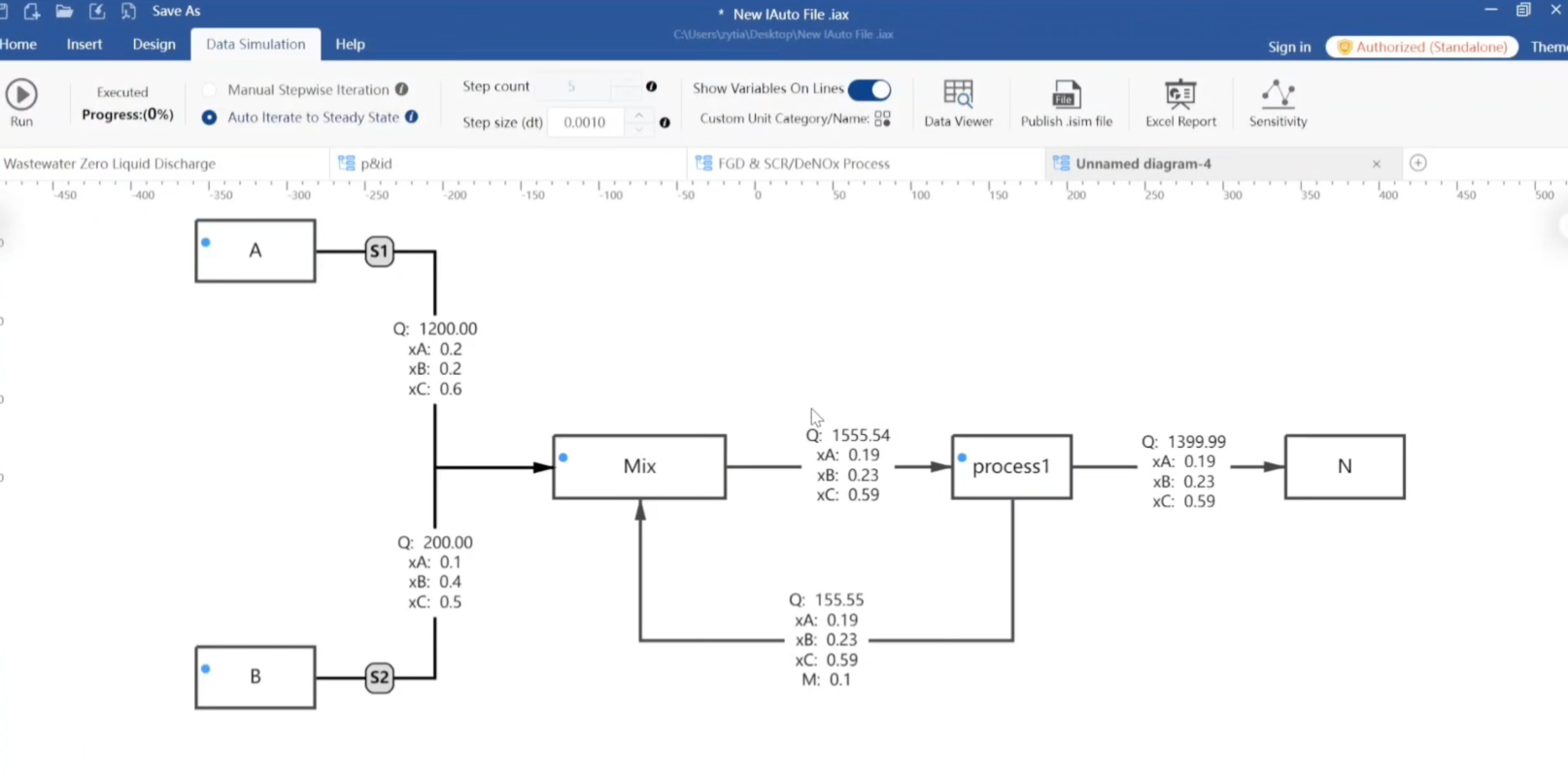
- Attach parameters and calculate without leaving the canvas
Import is under “Data conversion” in the toolbar. .vsdx (Visio 2009+) only.
Why teams outgrow Visio
Visio draws well, but it does not know that a rectangle is a reactor or that a line is a recycle stream. The result is two disconnected artefacts: a drawing in one file and a mass balance in another, kept in sync by hand.
IAutoDrawSim treats the drawing as the model. Units hold parameters, streams carry material, and changing one value updates the rest.
Migration is an import, not a redraw
Open the Data conversion dialog, pick a .vsdx file and it becomes an editable .iax project. Shapes, connectors and text are preserved; complex custom masters or themes may need a little cleanup.
Legacy binary .vsd files are not supported — re-save them as .vsdx in Visio first. DWG import is on the roadmap.
- Supported: .vsdx
- Not supported: .vsd (binary), .dwg (planned)
- Both formats can be mixed in one project after import
What you gain after switching
For feasibility studies, debottlenecking and revamps, the expensive part is not drawing — it is re-checking numbers every time a parameter changes. Here the recycle loops converge on their own and the stream table regenerates from the drawing.
IAutoDrawSim compared with general diagramming tools
| Capability | IAutoDrawSim | Visio / online whiteboards |
|---|---|---|
| Flowcharts, swimlanes, BPMN | Yes | Yes |
| PFD / P&ID symbol library | Built in | Add-on or DIY |
| Import .vsdx | Yes | — |
| Parameters on units, material on streams | Yes | No |
| Steady-state solve, recycle convergence | Yes | No |
| Excel stream table export | Yes | No |
| Fully offline | Yes | Partly |
| Pricing | Subscription or perpetual | Mostly subscription |
Frequently asked questions
Will my existing Visio drawings open?
If they are .vsdx (Visio 2009 or later), yes. Shapes, connectors and text are preserved; heavily customised masters may need minor adjustment.
Do I have to redraw anything after import?
Normally no. The import produces an editable project — you can keep working on the same canvas, adding process symbols and stream data.
Where is IAutoDrawSim weaker than Visio?
Visio has a larger generic shape ecosystem and deeper Microsoft 365 integration. If you only need org charts or floor plans, the difference is small. The gap appears when the diagram has to carry engineering data.
Is my data uploaded anywhere?
No. Everything runs locally and the perpetual licence works offline.